
FairPlay Registration Guide: Step‑by‑Step Instructions for Easy Sign‑Up & Secure Login
Introduction
In today’s fast‑moving digital environment, sporting platforms that prioritize transparency and integrity have become essential. FairPlay stands out as a leading solution that brings fairness to online competitions, betting, and community events. However, before you can enjoy its full suite of features—live betting markets, leaderboard analytics, and secure transactions—you must first create a personal account. This guide walks you through every step of the registration journey, from the initial signup to your first successful login, while emphasizing best practices for account security.
Why Register with FairPlay?
FairPlay’s ecosystem is built on the principles of fairness, accountability, and user empowerment. By registering, you gain access to:
- Real‑time odds and betting options that are audited for impartiality.
- Personalized dashboards that track performance, winnings, and historical data.
- Exclusive community events, contests, and reward programs.
- Robust support channels and dispute‑resolution services.
Each of these benefits is tied to a verified identity, ensuring that the platform remains trustworthy for all participants.
Preparing for Registration
Gather Required Information
Before you begin, have the following items ready:
- A valid email address that you can access regularly.
- A mobile phone number for two‑factor authentication (2FA).
- Proof of identity documents (e.g., passport or driver’s license) for KYC compliance.
- A strong, unique password that follows recommended complexity rules.
Having these details on hand will streamline the process and reduce the likelihood of interruptions during verification.
Step‑by‑Step Registration Guide
1. Initiate the Account Creation Process
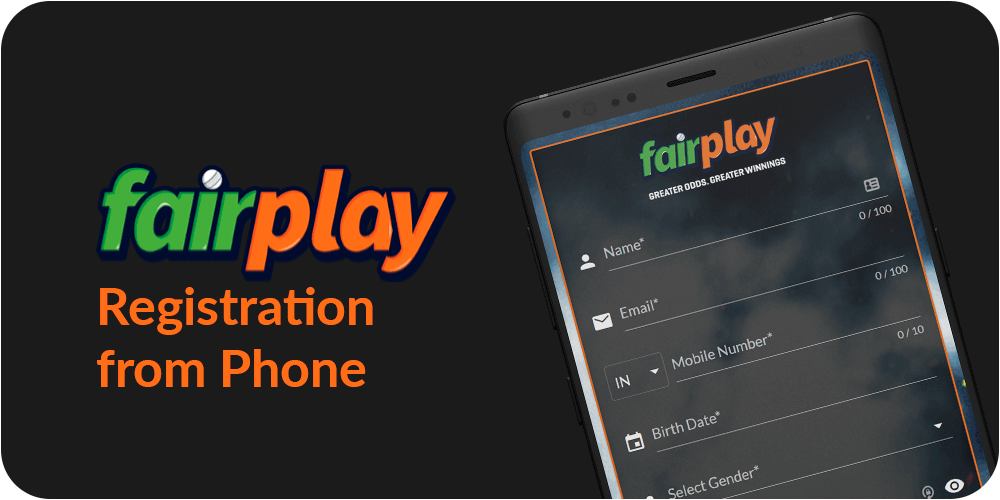
Visit the FairPlay website and locate the registration button. Click it to open the signup form. The interface is designed with clear fields and helpful tooltips, making it easy for both newcomers and seasoned users to proceed confidently.
2. Complete the fairplay signup Form
Enter your email, mobile number, and desired password. Pay attention to the password guidelines; a mix of uppercase, lowercase, numbers, and special characters is required. After filling out the fields, acknowledge the terms of service and privacy policy, then submit the form. At this stage, FairPlay will send a verification email to the address you provided.
3. Verify Your Email Address
Open the verification email, click the embedded link, and you’ll be redirected to a confirmation page. If you do not see the email within a few minutes, check your spam or promotions folder. Successful verification unlocks the next step—mobile authentication.
4. Set Up Mobile Authentication
Enter the OTP (one‑time password) that FairPlay sends via SMS to your registered phone number. This step activates two‑factor authentication, adding an extra layer of security to protect your account against unauthorized access.
5. Submit KYC Documentation
Navigate to the “Identity Verification” section of your dashboard. Upload clear, high‑resolution scans of your identity proof and a recent utility bill or bank statement for address verification. FairPlay’s compliance team typically reviews submissions within 24–48 hours, after which your account status will be marked as “Verified.”
6. Configure Your Profile
With verification complete, personalize your profile by adding a display name, avatar, and optional bio. This information is visible to other users in community forums and leaderboards, helping you build a recognizable presence within the platform.
7. Review Security Settings
Visit the security center to enable additional safeguards, such as:
- Authenticator app integration (e.g., Google Authenticator).
- Login alerts for new device access.
- Session timeout controls.
Implementing these measures greatly reduces the risk of account compromise.
8. Access Your Account via the Login Portal
Once your profile is set up, return to the homepage and click the login button. Enter your registered email and password, then complete the 2FA step. Successful authentication brings you to the main dashboard, where you can explore betting markets, track your statistics, and engage with community features.
9. Navigate the Dashboard
The dashboard is organized into intuitive tabs:
- Market Overview: Live odds, upcoming events, and betting options.
- My Activity: Recent bets, transaction history, and pending settlements.
- Rewards & Promotions: Current bonus offers and loyalty points.
Familiarizing yourself with these sections ensures a smooth and enjoyable experience on FairPlay.
Troubleshooting Common Issues
Even with a well‑designed registration flow, users may encounter hiccups. Below are solutions to frequent problems:
Email Not Received
Check spam folders, verify that you entered the correct email address, and consider adding “@fairplay.com.in” to your contacts. If the issue persists, use the “Resend Verification Email” option on the login page.
OTP Not Delivered
Ensure your mobile device has network coverage and that the number entered matches your carrier’s format. You can request a new OTP after a brief waiting period.
KYC Rejection
Common reasons include blurred images, mismatched names, or expired documents. Resubmit clear, up‑to‑date files and double‑check that all details match across documents.
Login Failures
If you forget your password, use the “Forgot Password” link to initiate a reset. Ensure your new password complies with the strength requirements, and remember to update any stored credentials in password managers.
Frequently Asked Questions (FAQ)
Is the registration process free?
Yes, creating an account on FairPlay does not incur any fees. Deposits and wagers are subject to standard transaction charges as outlined in the fee schedule.
Can I register using social media accounts?
FairPlay currently supports only direct email registration to maintain strict KYC standards. Social login options may be introduced in future updates.
How long does verification take?
Most users are verified within 24 hours. In rare cases where additional documentation is needed, the process may extend to 48–72 hours.
What should I do if I suspect unauthorized activity?
Immediately change your password, revoke any active sessions from the security center, and contact FairPlay support with details of the suspicious activity.
Conclusion
Registering with FairPlay is a straightforward yet secure process that opens the door to a world of fair, transparent, and engaging sporting experiences. By following this guide—starting with the fairplay login after completing the signup steps—you ensure that your account is properly verified, protected, and ready for action. Remember to keep your security settings up to date, stay informed about platform updates, and enjoy the competitive edge that a trusted, fair platform provides.