
How to Obtain Your FairPlay ID: A Complete Step‑by‑Step Guide
Introduction
In today’s digital marketplace, a reliable and secure online identity is essential for both gamers and developers. The FairPlay ID serves as a unified credential that grants access to a suite of services, from multiplayer matchmaking to exclusive content drops. Whether you’re a seasoned player looking to streamline your login experience or a newcomer eager to dive into the ecosystem, understanding how to acquire a FairPlay ID is the first step toward unlocking a world of possibilities.
What Is a FairPlay ID?
A FairPlay ID is more than just a username; it is a verified digital passport that links your personal information, payment methods, and gameplay history across all platforms that support the FairPlay network. This single sign‑on solution eliminates the need for multiple accounts, reduces password fatigue, and enhances security through two‑factor authentication and encrypted data storage.
Key Benefits
- Centralised Access: One ID works across desktop, console, and mobile applications.
- Enhanced Security: Built‑in fraud detection and optional biometric verification.
- Exclusive Perks: Early access to beta tests, special in‑game items, and community events.
- Seamless Transactions: Saved payment information for fast in‑app purchases.
Prerequisites Before You Begin
Before you start the registration process, make sure you meet the following requirements:
- A valid email address that you can access for verification.
- A strong, unique password (minimum 12 characters, mixing letters, numbers, and symbols).
- A mobile device capable of receiving SMS or an authenticator app for two‑factor verification.
- Basic personal information such as full name, date of birth, and country of residence, which are required for compliance with regional regulations.
Step‑by‑Step Guide to Creating Your FairPlay ID
Step 1 – Visit the Official Registration Page
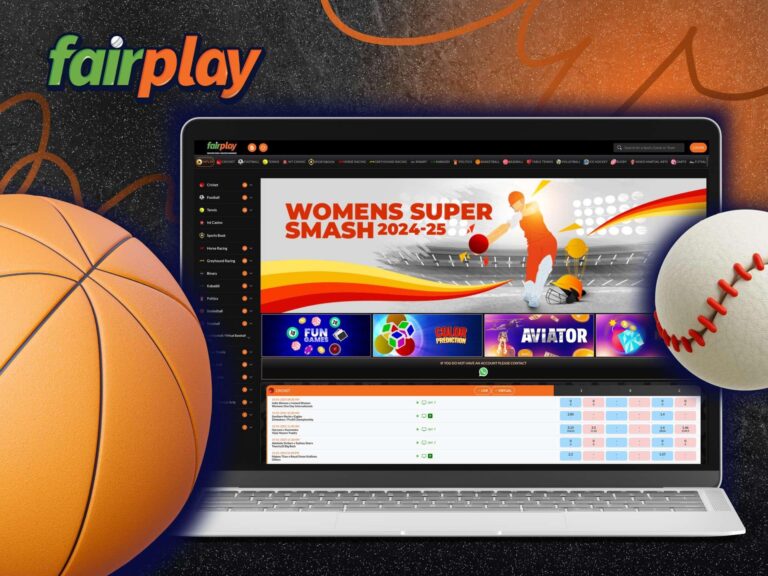
The journey begins by navigating to the official sign‑up portal. This page is designed to collect all necessary information while ensuring a smooth user experience. Use the official fairplay signup page to start the process.
Step 2 – Enter Your Email and Choose a Password
Input your email address in the designated field. The system will automatically check the format and confirm that the email isn’t already associated with an existing account. Next, create a password that complies with the security criteria. It’s advisable to use a password manager to generate and store a complex password securely.
Step 3 – Provide Personal Details
Fill out the required fields for your full name, date of birth, and country. This information serves two primary purposes: it satisfies legal age requirements and helps tailor regional content and offers. All data is encrypted at rest and in transit, adhering to industry‑standard security protocols.
Step 4 – Verify Your Email Address
Once you submit the form, an automated email containing a verification link will be sent to the address you provided. Click the link within 24 hours to confirm ownership of the email. If you do not receive the email, check your spam folder or request a new verification link from the registration page.
Step 5 – Set Up Two‑Factor Authentication (2FA)
After email verification, you will be prompted to add an extra layer of security. Choose between receiving a one‑time password (OTP) via SMS or linking an authenticator app such as Google Authenticator or Authy. Follow the on‑screen instructions to scan the QR code or enter the provided secret key. 2FA significantly reduces the risk of unauthorized access.
Step 6 – Agree to Terms and Conditions
Read through the FairPlay Terms of Service, Privacy Policy, and Community Guidelines. While the text may be lengthy, it outlines your rights, obligations, and how your data will be used. Confirm your agreement by checking the required box.
Step 7 – Finalise Your Profile
At this stage, you may customise your public profile by adding an avatar, selecting a display name (different from your login ID), and linking optional social media accounts for easier friend discovery. These steps are optional but can enhance your interactions within the community.
Step 8 – Confirmation and Dashboard Access
Upon successful completion of all steps, you’ll be directed to your user dashboard. Here, you can view your FairPlay ID, manage security settings, review transaction history, and explore the catalogue of supported games and services.
Verifying Your FairPlay ID Across Platforms
One of the core strengths of the FairPlay system is its cross‑platform compatibility. After creating your ID, you can log in to any participating service using the same credentials. To verify that the ID works correctly:
- Open a game or app that supports FairPlay.
- Select “Sign In with FairPlay.”
- Enter your email and password, then complete the 2FA challenge.
- If the login is successful, your profile data—such as saved progress and purchased items—will sync automatically.
If you encounter issues, ensure that the app version is up to date, and double‑check your internet connection. Most problems stem from outdated client software or incorrectly entered credentials.
Troubleshooting Common Issues
Issue 1 – Email Not Received
Possible causes include typo in the email address, email server delays, or spam filtering. Verify the spelling of your address, add [email protected] to your contacts, and request a new verification email from the sign‑up page.
Issue 2 – 2FA Code Not Working
Check that the time on your mobile device is set to automatic. Authenticator apps rely on synchronized timestamps. If you opted for SMS, ensure you have adequate cellular coverage and that your carrier does not block short‑code messages.
Issue 3 – Account Locked After Multiple Failed Attempts
For security reasons, repeated incorrect logins trigger a temporary lock. Wait 15 minutes before trying again, or use the “Forgot Password” link to reset your credentials via email.
Issue 4 – Regional Restrictions
Some features may be unavailable in certain countries due to licensing agreements. If you see a message indicating regional limitations, you can still use core functionalities, but some exclusive events or content may be inaccessible.
Maintaining the Security of Your FairPlay ID
Even with robust built‑in protections, users play a vital role in safeguarding their accounts. Follow these best practices:
- Regularly update your password, and never reuse passwords from other services.
- Enable biometric authentication (fingerprint or face ID) where supported.
- Review login activity in your dashboard monthly to spot unfamiliar locations or devices.
- Keep your recovery email and phone number up to date to ensure you can regain access if you become locked out.
Leveraging Your FairPlay ID for Maximum Benefit
Once your ID is active, explore the ecosystem to make the most of its features:
- Participate in Community Events: Earn exclusive skins, badges, and in‑game currency by joining tournaments or seasonal challenges hosted on the FairPlay network.
- Access Early Beta Tests: Developers often grant beta access to users with a verified ID, providing a sneak peek at upcoming titles.
- Utilise Integrated Wallets: Store multiple payment methods securely and switch between them effortlessly for in‑app purchases.
- Sync Achievements: Your progress, trophies, and leaderboards are unified across all supported platforms, giving you a comprehensive view of your gaming legacy.
Contacting Support
If you have exhausted the troubleshooting steps and still cannot resolve an issue, the FairPlay support team is available 24/7. Access the support portal through the main website at fairplay. From there, you can submit a ticket, engage in live chat, or browse the knowledge base for detailed articles.
Conclusion
Obtaining a FairPlay ID is a straightforward process that unlocks a host of advantages, from streamlined logins to exclusive gaming experiences. By following the step‑by‑step guide outlined above, ensuring you meet the basic prerequisites, and adhering to best security practices, you can set up your account confidently and enjoy the full spectrum of services offered by the FairPlay ecosystem. Remember to keep your credentials secure, stay updated on platform features, and engage with the community to maximise the value of your digital identity.